
Hands On: How to Find and Cancel Unwanted Subscriptions with Claude Cowork
Connect Gmail, uncover recurring charges, and work through the cancellations you approve.
A $15 monthly subscription costs $180 a year. Add a couple of services you stopped using and the amount becomes worth an afternoon of attention. The trouble is remembering what you signed up for, finding the right account, and getting through the cancellation process.
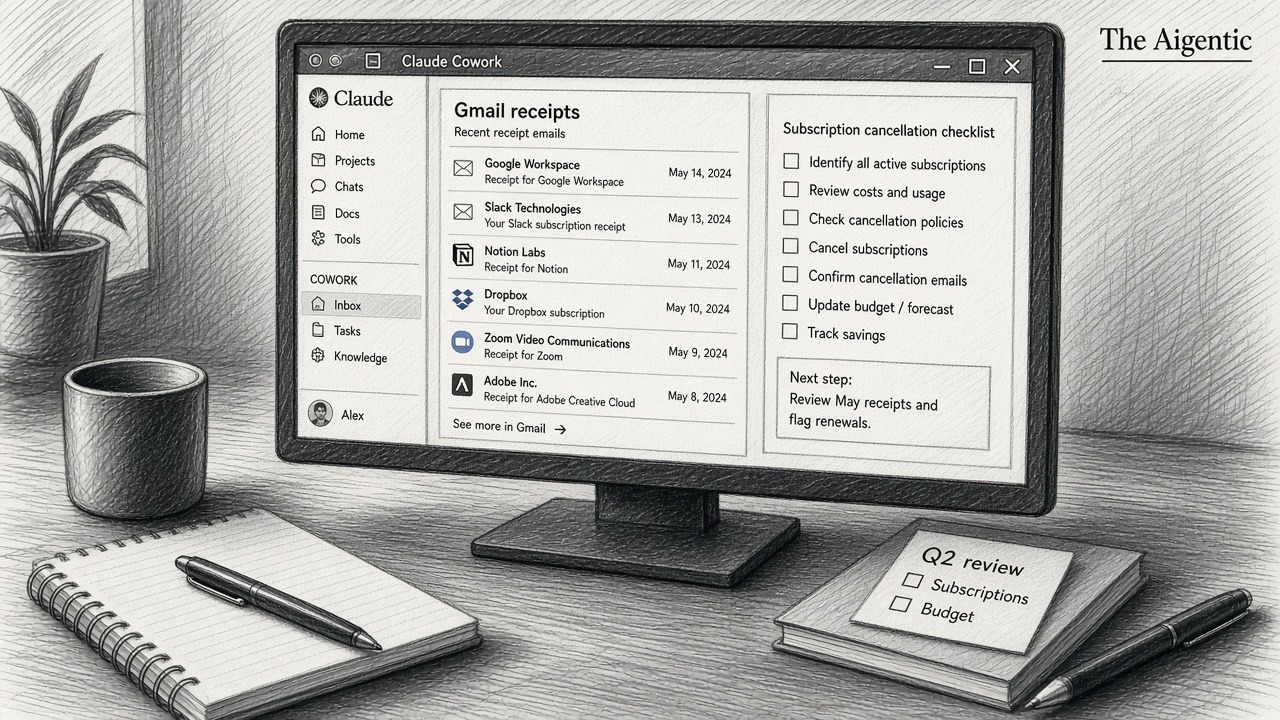
Claude Cowork can help with that paperwork. Start by having it search Gmail for receipts and renewal notices, then build a list you can review. Once you decide what should go, it can help navigate cancellation pages or prepare requests to the provider.
The goal is a list of confirmed cancellations and future charges avoided. Gmail supplies the evidence; you decide which subscriptions still earn their place.
What you need before starting
This walkthrough uses the current Claude desktop app on a Mac or Windows computer and a paid plan that includes Cowork. Anthropic lists Pro, Max, Team, and Enterprise as eligible plans. In the message box, select Cowork to start a task. Check current Cowork availability.
Use the Google account that receives your billing emails. Have your password manager available for signing in to providers later. If you are buying a Claude subscription specifically for this exercise, include that expense when calculating your savings.
Step 1: Connect the Gmail account that gets your receipts
- In Claude Desktop, open Customize in the left sidebar.
- Select Connectors, click the + button, and choose Browse connectors.
- Find Gmail, review its listed capabilities, and select Connect.
- Complete the Google sign-in and consent screens for the account you want to search.
These steps follow Anthropic's current connector directory instructions. Team and Enterprise users may need an organization owner to enable the connector first; individual users still authenticate their own accounts. See Anthropic's connector setup guide.
The Gmail connection supports searching and reading messages, drafting emails, and sending messages with the applicable approvals. It is broader than a subscription finder, so read the consent screen. For this first task, ask Claude only to search and report.
Step 2: Search long enough to catch annual renewals
Start with 13 months. That gives an annual renewal a reasonable chance of appearing, alongside monthly charges and trials that converted to paid plans. Longer billing cycles, missing receipts, or a second email address can still leave gaps.
Paste this into a new Cowork task:
Search my connected Gmail for the last 13 months of receipts, invoices, subscription renewals, trial conversions, and cancellation confirmations. Look for recurring paid services and upcoming charges. Exclude ordinary one-time purchases and free newsletters.

Create one row per subscription with the service, account email if shown, latest charge and currency, billing frequency, estimated annual cost, latest payment date, next renewal if stated, and a link to the supporting email. Combine repeated receipts without double-counting. Keep different currencies separate.

Check for later cancellation, refund, or plan-change emails. Mark each item as likely active, cancellation found, or unclear, and explain the evidence. Label inferred dates. Tell me what dates you searched and whether any results remain unchecked. Do not send messages, cancel anything, or change account settings.
If the search stops partway through, ask Claude to continue in smaller date ranges and merge the results. Open the cited receipts for anything expensive or close to renewal. A convincing table still needs a few spot checks.
There is one practical limitation: the Gmail connector exposes attachment metadata, but not attachment contents. If a price appears only inside a PDF invoice, download the invoice yourself and provide it separately, removing unrelated details first.
Step 3: Decide what you actually want to keep
An email receipt tells you that a service billed you. It does not tell Claude whether you use it, whether your family relies on it, or whether a colleague needs the account. Add your own decision beside each row: keep, cancel, or investigate.
A compact review might look like this. These services and amounts are fictional examples, not results from a tested account.
| Service | Charge | Annual cost | Your review |
|---|---|---|---|
| Design app | $15 monthly | $180 | Cancel after confirming it is active |
| Video service | $12 monthly | $144 | Check whether the family uses it |
| Cloud backup | $60 annually | $60 | Keep if it protects needed files |
| Course library | $99 annually | — | Exclude pending verification; a later cancellation email was found |
Check a provider's billing page before treating an old receipt as an active subscription. Look especially carefully at storage, backups, business tools, and shared plans: canceling can affect other people or access to files.
For a fuller audit, compare the list with your bank or card statement. You can do that comparison yourself. A service that never sent a receipt to this Gmail account may be missing entirely.
Step 4: Work through cancellations one at a time
Cowork has a browser built into the desktop app and can also use Claude in Chrome. Its built-in browser is separate from your everyday browser, so an existing login in Chrome does not automatically mean Claude is signed in.
Start with one subscription you recognize. Give Claude the provider's official website and ask it to find the billing or membership page. Sign in yourself when needed. Website restrictions, verification checks, and unusual cancellation flows can require you to finish the task manually.
Use this instruction for the cancellation stage:
Help me cancel only the subscriptions I marked Cancel. Work on one service at a time through its official website. Before submitting a cancellation, show me the account, plan, next charge, when access ends, and any stated fee or data-loss consequences. Ask me to approve that specific cancellation.

Pause for me to handle passwords, verification codes, or checks you cannot complete. Do not delete accounts or accept a different paid plan. After each cancellation, save the confirmation and effective date. If you cannot finish, explain the exact step I need to take and mark the item as pending.
Keep approval prompts enabled while doing this. Treat links and instructions inside emails as material to verify against the provider's official site. A written prompt is useful guidance, but it is not a technical restriction on the connector's permissions.
The company that bills you determines where to cancel. For a subscription billed by Apple, on an iPhone open Settings, tap your name, then Subscriptions and the relevant service. Use Apple's cancellation instructions. For Google Play billing, open your Google Play subscriptions, select the service, and follow Cancel subscription. Google's guide also notes that uninstalling an app does not cancel its subscription.
If the provider requires an email, have Claude draft it for review and approve sending separately. A sent request belongs in the pending column until the provider confirms the outcome. Unsubscribing from marketing emails does not stop a paid plan.
Step 5: Count savings after the confirmation arrives
Ask Claude to update the inventory with three outcomes: confirmed canceled, awaiting provider response, and manual action needed. For confirmed cancellations, record the effective date, the charge that will no longer recur, and the confirmation email or account-page evidence.
In the fictional example above, canceling an active $15 monthly design app would avoid $180 in charges over 12 future billing cycles, assuming its price stayed the same. If you also canceled the active $12 video service, the combined annualized amount would be $324. Those figures describe future spending avoided, not a refund for past payments.
Annual plans need the same care. Stopping renewal on a prepaid year may leave access running until that year ends. Google Play, for example, generally lets you use the time you have already paid for. Refunds are a separate question governed by the provider's terms.
Check the next statement for services you canceled and keep the confirmations. Set a reminder to review the inventory again before the next batch of annual renewals. The useful finish line is a billing record that matches the decisions you made.
Sources
- Anthropic support / Cowork and connector documentation — support.anthropic.com
- Apple — View, change, or cancel subscriptions
- Google — Cancel, pause, or change a subscription on Google Play
Instructions checked against official documentation on September 11, 2026. Interface labels and availability can change. Example charges are illustrative; no reader accounts were accessed or subscriptions canceled to produce this guide.